Python
I gave Conway's Life two views
2026-08-26 / Marcos Defina
I built Conway's Game of Life once, then put a terminal runner and an interactive Pygame view around the same bounded Python simulation. The interesting part wasn't drawing cells. It was deciding what both interfaces should share.
The simulation owns the rules
The GameOfLife class holds the grid dimensions, generation counter, live-cell set, classic patterns, and the step function. It doesn't know whether a cell will become a Unicode block or a green Pygame rectangle. Keeping that boundary plain meant the command-line runner could focus on arguments and timing while the graphical layer handled events, controls, and drawing.
I store only living cells
The grid is a set of row and column tuples. For each generation, the engine builds a candidate set from every live cell and its bounded neighbors. Only those coordinates can survive or be born, so there is no reason for the rule engine to inspect every dead position on a mostly empty board. This is a sparse representation, not an infinite one: coordinates outside the configured width and height are discarded rather than wrapped.
The terminal view stays useful
A text renderer makes the model easy to run over SSH or in a headless shell. The full view prints the bounded board; compact mode finds the live-cell bounding box and clips it to a terminal-friendly window. Command-line options control size, seed density, delay, generation count, and additional patterns. No graphical dependency is required for that path.
Pygame adds interaction, not a second engine
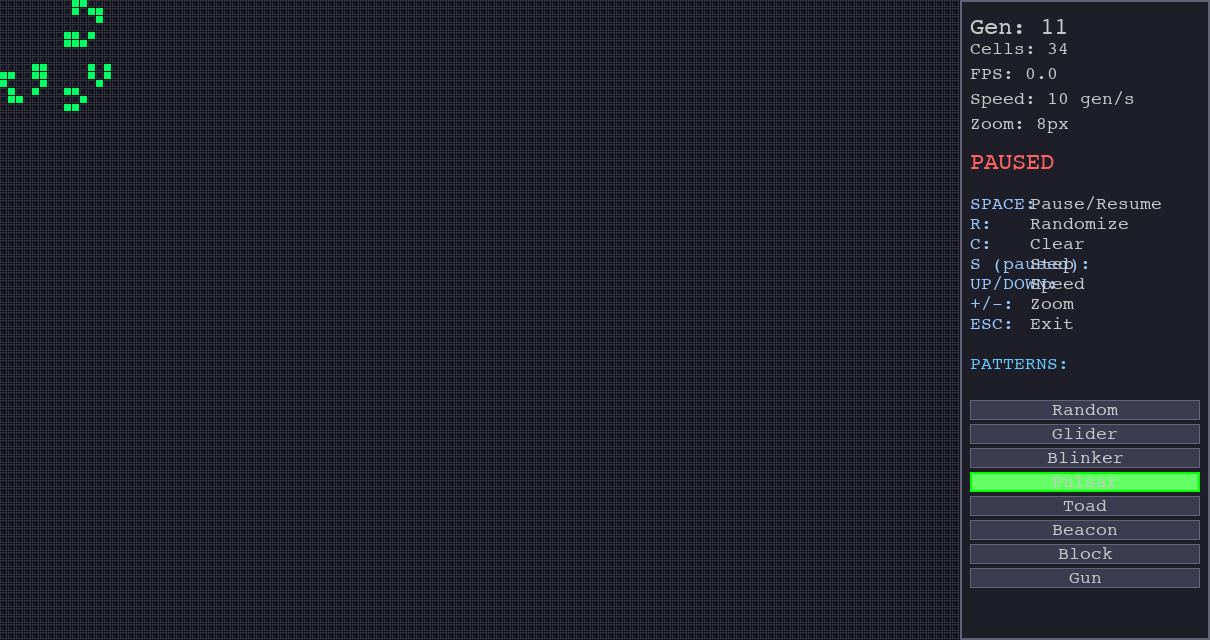
The Pygame visualizer imports the same GameOfLife class. It adds pause and single-step controls, live drawing, randomization, speed changes, zoom, a status panel, and pattern buttons. Every update still calls the shared step method. This kept visual work from changing the cellular rules and made discrepancies easier to locate.
Patterns make good checks
A block should remain stable. A blinker should alternate. A glider should move until the bounded edge changes its future. The repository's demo steps a block and a blinker and reports live-cell counts. That helps with visual inspection, but it does not assert exact states or verify glider movement. The next step is an automated suite that compares coordinates across generations, especially near boundaries.